
AI Video Generator - OpenVideo
88 TechArt & Design
4.455.00 Reviews
- Version
- 3.3.0
- Installs
- 50.00K
- Age Rating
- Teen
Screenshots
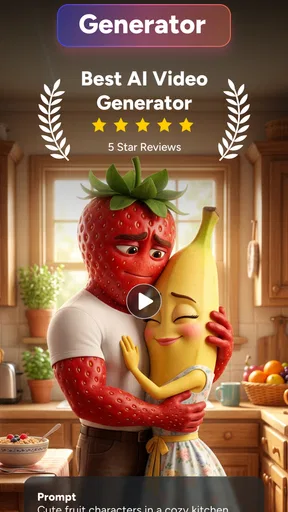
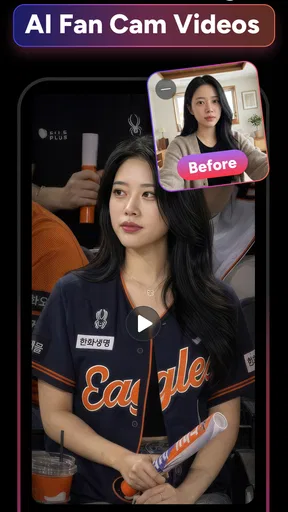
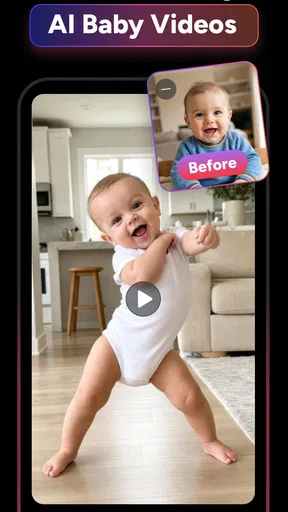
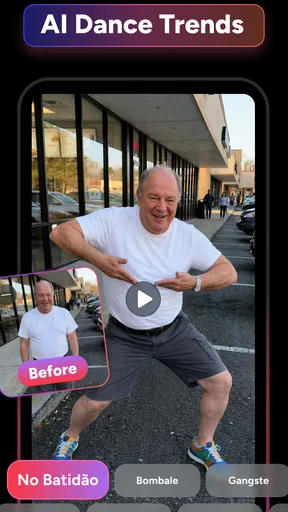
Our Review of AI Video Generator - OpenVideo
 Analysis by Appyee
AI Video Generator - OpenVideo caught my attention because it promises a very specific shortcut: turning a written idea or a still image into a short video without requiring a traditional editing workflow. After spending time with it, my first impression was that it is most appealing when I want to explore an idea quickly rather than produce a carefully controlled final film. That distinction matters. This is an Art & Design app from 88 Tech, and its value depends less on replacing a full video editor than on helping me move from a vague concept to something visual.
The app is free to download, with optional purchases ranging from $4.99 to $379.99 per item. It is rated Teen, runs on Android 8.0 and later, and the current version is 3.3.0. Its average rating is 4.4 from around three thousand ratings, while the app has passed fifty thousand installs. Those figures suggest that OpenVideo has found an audience, but they do not answer the more important question: will I still open it after the novelty of generating a few clips has worn off?
What OpenVideo feels like during the first week
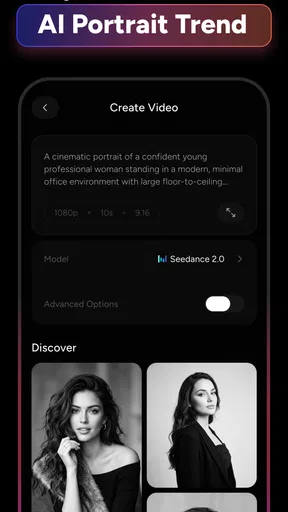
During the first few sessions, the appeal is immediate. I can begin with a sentence describing an idea or use a photo as the starting point, then wait for the app to turn that input into a moving result. That removes several barriers at once. I do not need to understand a timeline, keyframes, transitions, or export settings before seeing whether an idea has potential.
That makes the app particularly enjoyable for visual experimentation. I can take an ordinary image and imagine it in a different atmosphere, or test whether a short written scene works better as something calm, dramatic, playful, or surreal. The result is not merely a static design, so even an imperfect generation can reveal useful direction. Sometimes the value is in discovering what I do not want.
I would recommend approaching the first week as a sketching period. Instead of trying to create a finished advertisement or polished social campaign immediately, I found it more productive to make several small experiments. Changing one part of a prompt at a time helps me understand how the app interprets language. If I rewrite the entire request after every attempt, it becomes difficult to tell which wording made the outcome better or worse.
A useful habit is to describe the subject, movement, setting, mood, and visual style separately. For example, I might first identify the object, then explain what should move, then add the atmosphere. This is more practical than writing a long paragraph full of unrelated ideas. When a result misses the point, a compact prompt also makes troubleshooting less frustrating.
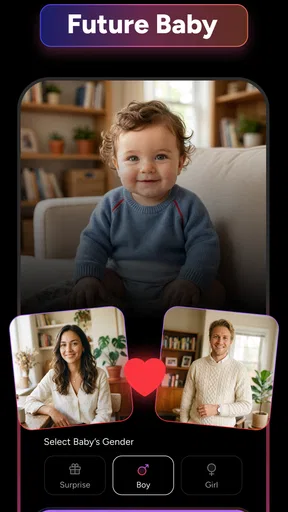
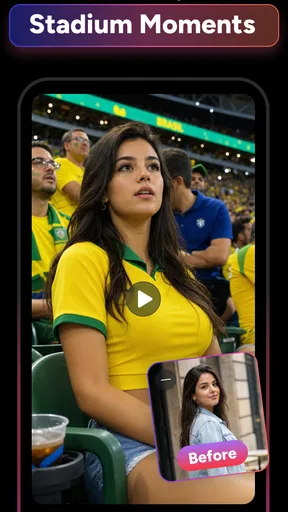
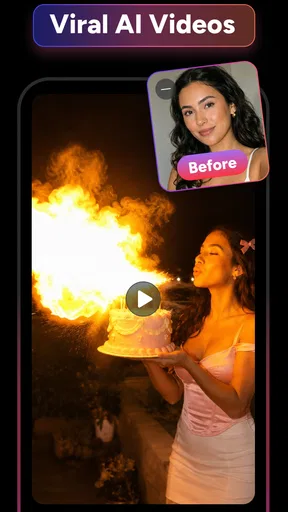
The photo-to-video route has a different strength from text generation. It is better suited to giving an existing visual some motion or atmosphere, while text-to-video is more useful when I am starting with nothing. I would not treat these as interchangeable buttons. If I already have a product image, travel photo, illustration, or character sketch, beginning from that image gives me a clearer anchor than asking the app to invent every visual element.
One of the less obvious benefits is that OpenVideo can help non-editors communicate an idea to someone else. A rough generated clip may explain a mood more clearly than a written description. I can show a friend, client, or collaborator the direction I am considering before spending time on a more demanding production. Its strongest first-week role is visual previsualization, not automatic filmmaking.
Where the early excitement meets practical limits
The speed of the concept is exciting, but the output still needs judgment. A generated clip may capture the general feeling while missing an important detail, changing the appearance of a subject, or moving in a way that does not fit the intended scene. That is normal for this kind of creative tool, but it means I cannot assume that a promising preview is ready to publish.
This is also where expectations need to be realistic. OpenVideo is convenient because it hides much of the technical process, yet that convenience also reduces control compared with a conventional editor. In a timeline-based app, I can decide exactly when a cut happens, how long a transition lasts, and which frame remains on screen. Here, the creative decision is often expressed indirectly through the input, so the result can feel more interpretive than precise.
For a first-week project, I would keep the goal small: a mood clip, a visual draft, a short concept, or a personal experiment. Those uses match the app’s quick, exploratory character. Someone expecting consistent characters, exact choreography, or a carefully timed sequence may become disappointed much sooner.
Whether it earns a place in a monthly creative routine
The more important test is what happens after the initial curiosity fades. I think OpenVideo has recurring value when I regularly need visual starting points. A social media creator can use it to test themes before building a complete post. An illustrator can explore motion ideas for a still image. A teacher or presenter can create a visual cue for a lesson. A small business owner can use a rough concept to discuss a campaign before commissioning a more controlled version.
In each case, the app saves time at the idea stage rather than necessarily saving time at the final editing stage. That is a meaningful distinction. If I spend a few minutes generating possibilities and then choose one direction for a separate production process, OpenVideo has done useful work even if the generated clip never appears in the final project.
A realistic everyday scenario would be preparing a short announcement for a local event. I might have a poster or a simple event image but no motion concept. With the photo-to-video workflow, I can explore whether a gentle camera movement, animated atmosphere, or changing visual emphasis would make the announcement feel more alive. I can then use the result as a reference when creating the finished post elsewhere. This is more dependable than asking the app to handle the entire campaign from beginning to end.
For personal use, the monthly value depends on whether I enjoy iteration. If I only want to generate one perfect clip, the experience may feel inefficient because the first result may not match the idea. If I regularly collect concepts, compare visual directions, or turn still images into experiments, repeated use makes more sense.
I also see value for people who struggle with the blank page. Writing a prompt forces me to decide what I actually want to show. Even when the output is not usable, it can expose a weak idea early. That makes the app a kind of visual brainstorming partner, although it is a limited one: it can transform instructions, but it cannot replace my taste or explain why one creative direction is stronger than another.
How it compares with ordinary alternatives
Compared with a standard mobile video editor, OpenVideo is easier at the beginning and weaker when precision becomes important. A conventional editor is the better choice when I already have clips and need to trim them, arrange them, add exact timing, or maintain consistent branding. OpenVideo is better when I have a sentence, a photo, or a rough visual idea and want to see a possible moving interpretation.
Compared with a slideshow or photo-animation app, its appeal is the attempt to generate motion from an instruction rather than relying only on fixed effects. That can produce more imaginative results, but it also introduces more unpredictability. A traditional photo-animation tool may look less inventive while giving me a more dependable result.
Compared with creating video manually from scratch, OpenVideo lowers the effort needed to make a first draft. The trade-off is control. I would choose it for exploration, references, and quick concepts; I would choose a full editor for a final piece with strict visual requirements. Using both can be more sensible than treating either one as a complete replacement for the other.
The purchase structure is another part of the long-term calculation. The app itself is free, but the available in-app items extend from $4.99 to $379.99 each. That wide range means I would examine the purchase screen carefully before committing to a regular workflow. A casual user may be comfortable staying with free access, while a frequent creator needs to understand how quickly repeated generation could become expensive for their habits.
Maintenance, repetition, and the work behind good results
OpenVideo is simple to start, but good use still requires maintenance. I need to keep track of which prompts produced useful movement, which descriptions caused confusion, and which source images gave the strongest foundation. Without that small amount of organization, repeated experiments can blur together and I may keep making the same request in slightly different words.
I recommend keeping a short prompt notebook outside the app. I would save successful wording in groups such as subject movement, atmosphere, camera feeling, and visual style. This is not glamorous, but it turns random experimentation into a repeatable process. It also makes the app more valuable over time because each session builds on previous learning instead of starting from zero.
Source images deserve similar care. A crowded image with several competing subjects gives the generator more to interpret than a simple, clearly framed picture. When I want a predictable result, I would begin with one obvious subject and a clean visual hierarchy. When I want surprise, I might use a more complex image, but I would accept that the generated motion may be less focused.
Another practical tip is to separate creative testing from publishing. I would first generate a few variations, identify the one with the clearest movement, and only then think about captions, branding, or distribution. This prevents me from becoming attached to an early result simply because I have already built other material around it.
Maintenance also includes checking whether the app still fits my current needs. If my projects become more demanding, I may outgrow a generation-first workflow and need an editor with stronger control. That is not a failure of OpenVideo. It simply means the app is most useful at a particular stage of the creative process.
What can cause fatigue after the novelty
The first source of fatigue is unpredictability. When I know exactly what a scene must contain, repeated attempts can feel like negotiating with the tool rather than directing it. A result that is visually attractive but ignores the central requirement is still a failed result for a practical project.
The second is repetition in the creative process. Generating many alternatives can feel productive, but it can also create a pile of similar clips without a clear decision. I get more from the app when I define a question before generating: should the image feel more energetic, more cinematic, or more suitable for a quiet announcement? Without that question, the process becomes endless browsing.
The third is the gap between a generated idea and a finished deliverable. OpenVideo can help me reach a visual direction quickly, but I may still need another tool for exact edits, consistent text, sound, sequencing, or final presentation. Anyone who dislikes switching between apps should consider this before making OpenVideo part of a daily workflow.
There is also a learning curve hidden behind the apparent simplicity. The interface may be approachable, but the quality of my instructions still affects the usefulness of the result. I need patience to learn how to describe motion clearly and how to avoid stuffing too many demands into one request. People who want a one-tap result with no iteration may find the experience less satisfying than the store summary suggests.
Privacy and audience considerations are worth handling thoughtfully in everyday use. Since the app works with text and photos, I would avoid casually using sensitive personal images or material belonging to someone else without permission. For a public-facing project, I would also review every generated clip manually rather than assuming that an attractive result is automatically appropriate for the intended audience. The Teen content rating is a reminder that the app is not positioned as a children’s creative toy.
Who should keep it installed
I think OpenVideo deserves a place on the phone of a curious creator who often starts with ideas rather than finished footage. It is especially suitable for visual brainstorming, quick mood tests, photo-based experiments, and rough concept presentations. It can also help someone who has never learned conventional editing discover whether video creation interests them.
It is less suitable for a filmmaker who needs repeatable shots, exact timing, or strong control over every visual decision. It is also not my first choice for someone whose main task is editing existing videos. In that situation, a traditional editor would probably provide a clearer and more efficient workflow.
People who are highly sensitive to recurring costs should approach the purchase options carefully. Free access makes trying the app straightforward, but regular experimentation may change the value calculation. I would begin with a specific project, learn how often I actually use it, and only then decide whether any optional purchase makes sense.
The developer, 88 Tech, has positioned this as an accessible creative utility rather than a specialist production suite. That positioning feels accurate in use. The app’s best moments come from lowering the distance between an idea and a moving visual. Its weaker moments appear when I ask it to behave like a complete, precision-focused studio.
My long-term verdict on OpenVideo
After the initial excitement, I do not see AI Video Generator - OpenVideo as an app I would open every day without a clear reason. I do see it as a useful recurring tool for specific creative moments: testing a concept, adding motion to a still image, preparing a visual reference, or escaping a blank page. That is enough to justify keeping it installed for the right person.
Its lasting value comes from workflow, not novelty. If I save effective prompt patterns, choose source images deliberately, set a clear question for each generation, and accept that final polishing may happen elsewhere, the app becomes more useful month after month. If I simply generate random clips and expect each one to be publication-ready, the appeal will probably fade quickly.
I recommend OpenVideo as a fast visual sketchbook, not as a replacement for a full video editor. The free entry point makes it easy to explore, the text and photo starting points cover different creative needs, and the Art & Design focus is clear. At the same time, unpredictable results, limited precision, possible iteration fatigue, and the broad range of optional purchase prices mean that it rewards thoughtful use rather than constant use.
For me, that is a positive but qualified conclusion. OpenVideo earns lasting space when I treat it as the first step in a creative process. It is most valuable before the final cut, when I need possibilities more than certainty. If that is where you regularly get stuck, I think it is worth trying. If you already have a reliable editing workflow and need exact control, you may find a conventional alternative more satisfying.
Verdict
Strengths of AI Video Generator - OpenVideo
- Creates videos quickly from simple text prompts.
- Useful for experimenting with AI-generated visual concepts.
- Can help beginners produce content without editing experience.
- Supports rapid idea testing for social media projects.
- Reduces the need for expensive video production tools.
Limitations of AI Video Generator - OpenVideo
- Output quality may vary significantly between different prompts.
- Some generated scenes can contain visual glitches or odd details.
- Longer or more complex videos may require extra processing time.
- Results may need manual editing before they are ready to publish.
- App features and export options may depend on the selected plan.
Other Releases by 88 Tech
View All
Car Dashboard Widgets - HiCar
Maps & Navigation4.4
Similar Picks in This Category
View All
Canva: AI Photo & Video Editor
Canva4.8

PENUP – Drawing-sharing SNS
Samsung Electronics Co., Ltd.4.5

Crafto
Kutumb App4.6

Sketchbook
Sketchbook4.1

ibis Paint X
ibis inc.4.5

Adobe Express: AI Photo, Video
Adobe4.6
Frequently Asked Questions
What is AI Video Generator - OpenVideo, and what can it do?
AI Video Generator - OpenVideo is designed to help users create videos with artificial intelligence instead of recording and editing every element manually. Depending on the available tools and your prompt, it may generate scenes, animate images, add visual effects, or assist with short-form video production. It is particularly useful for social media clips, creative experiments, presentations, and quick concept videos.
How do I create a video with AI Video Generator - OpenVideo?
After opening the app, you generally begin by entering a text description, selecting an image or choosing a video style or template. The app then processes your request and produces a generated result that you can review and refine. Clear prompts usually provide more consistent outcomes, so it helps to describe the subject, movement, mood, visual style, duration, and format you want before starting the generation.
Is AI Video Generator - OpenVideo free to use?
The app may be available to download without an upfront charge, but some AI generation features can be limited by credits, usage quotas, advertisements, subscriptions, or in-app purchases. Costs and restrictions may vary according to the version, platform, and selected tools. Before creating multiple videos, check the pricing page and subscription terms carefully, especially if the app offers a free trial that may renew automatically.
Does the app require an internet connection or powerful hardware?
AI video generation commonly relies on remote processing, so an active internet connection is usually required when submitting prompts, uploading media, or downloading finished videos. A stable Wi-Fi connection is recommended for longer or higher-quality generations. Your phone may not need flagship-level hardware, although available storage, memory, battery life, and processing speed can affect how smoothly the app handles previews, exports, and local editing.
Can I use the videos created with AI Video Generator - OpenVideo commercially?
Commercial usage depends on the app’s current terms of service, the plan associated with your account, and the rights connected to any images, music, voices, characters, or prompts used in the project. Do not assume that every generated clip is automatically cleared for advertising or resale. Review the licensing conditions, avoid copyrighted material you do not own, and obtain permission for recognizable people, brands, or third-party content.
